

Learning in Microsoft 365










Learning competes with daily tasks - and loses
A separate learning platform is another login, another tab, one more thing to remember, so it loses to the actual job, every time. Your content was never the problem. Its location was.
Learning without Zensai
vs learning with Zensai
Learning in Microsoft 365, where the work already happens
Learning stuck in a separate system
- Another system for IT to vet: separate logins, separate data, separate review
- One more portal to log into, separate from where your people already work
- Manual admin means managers can't see who's falling behind until it's too late
- Learners stall mid-course with no nudge to finish, and drop off
Learning your people finish
- No new vendor review: built natively inside Microsoft 365, under your existing security and compliance
- Courses show up in Teams, under the sign-in your people already use
- Automation runs the admin, so managers track progress in Outlook or Copilot
- The AI Tutor coaches learners who stall, using the work context already in Microsoft 365
Set your people up for success with Zensai learning in Microsoft 365
No switching between platforms. Learning happens inside Microsoft 365, connected to the skills and goals it's meant to build. With AI doing the busywork and your team in complete control.
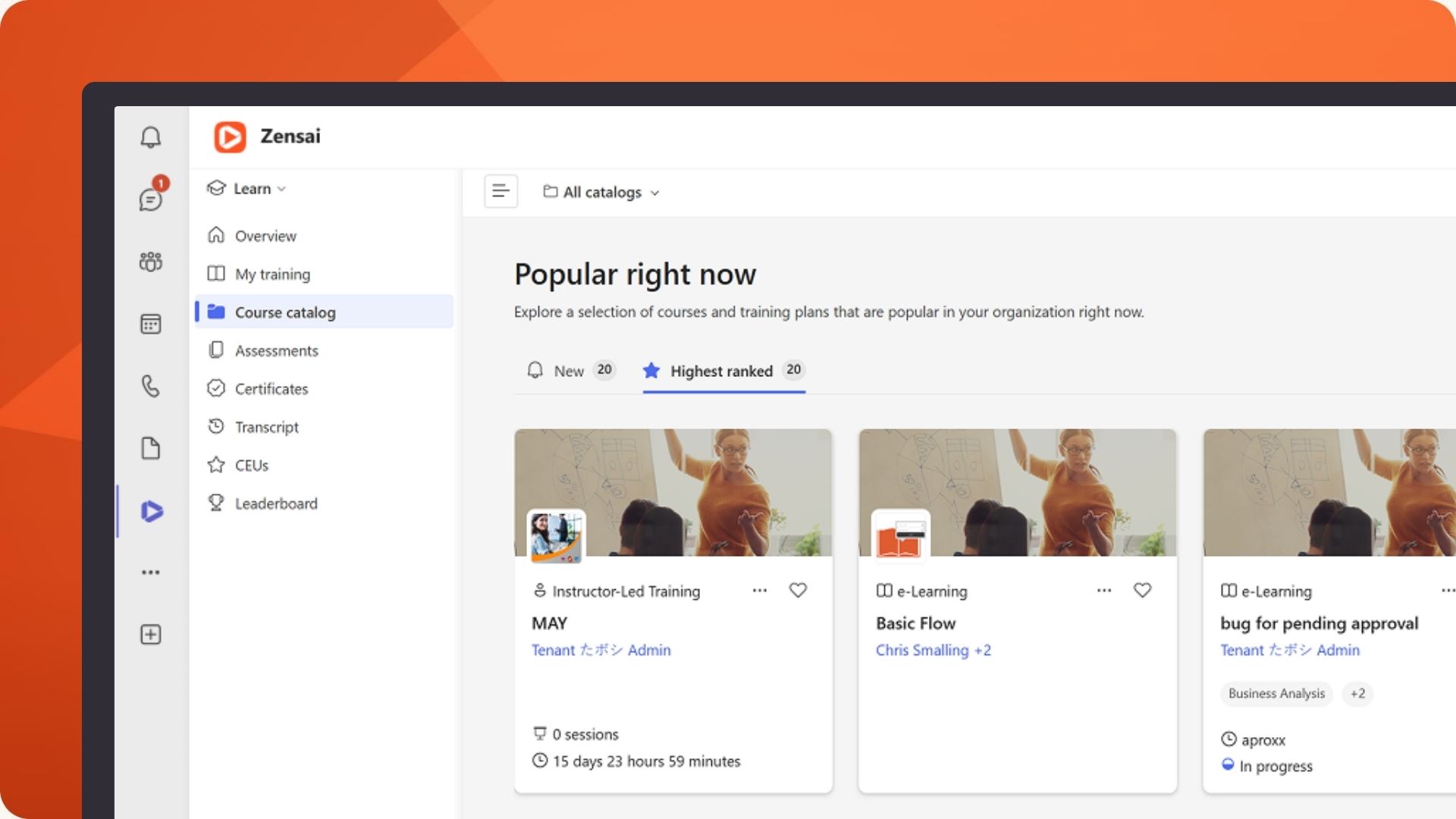
Training in Microsoft Teams.
A course shows up in the Teams channel your team already uses, opens in SharePoint, and the manager sees progress in Outlook or Copilot. There’s no separate site to log into.
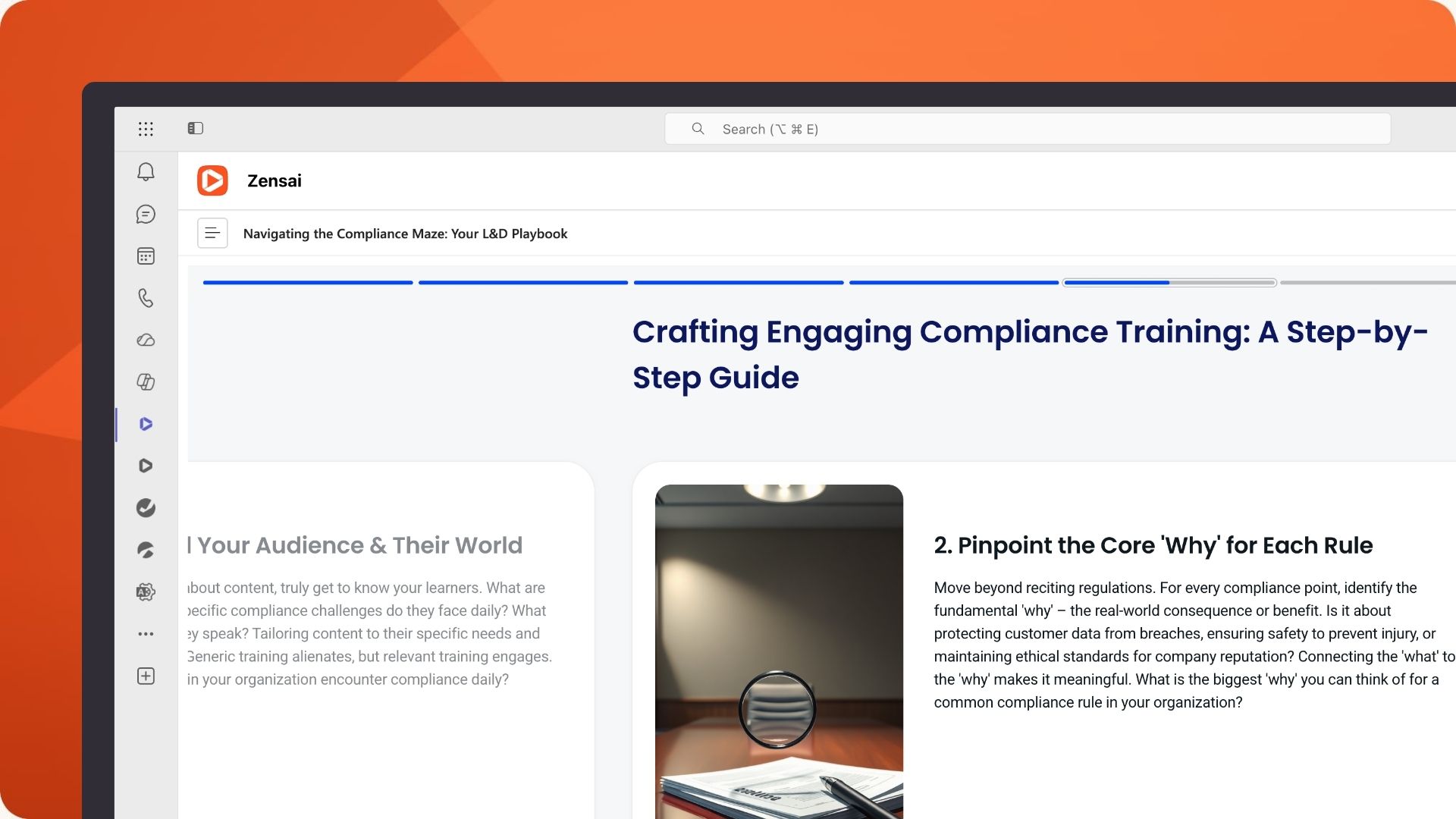
This is a full LMS.
Courses, learning paths, skills, assessment, compliance, reporting, built natively for Microsoft 365. The depth of a dedicated platform with no separate destination.
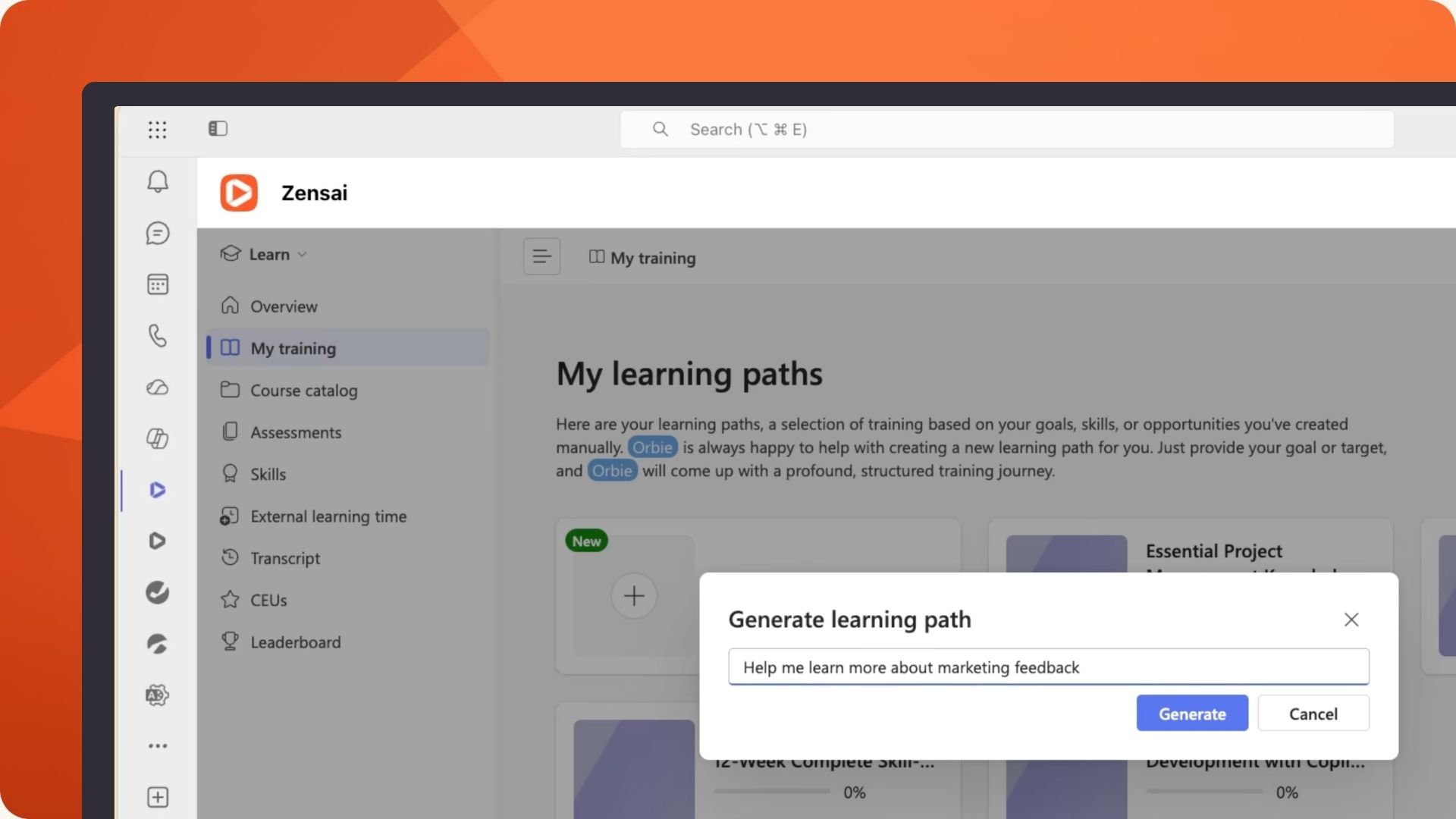
Learners don't stall.
AI builds role-based paths, uses your content to coach learners when they're stuck, uncovers skill gaps, all inside Teams. It moves learning from a check box to a capacity builder.
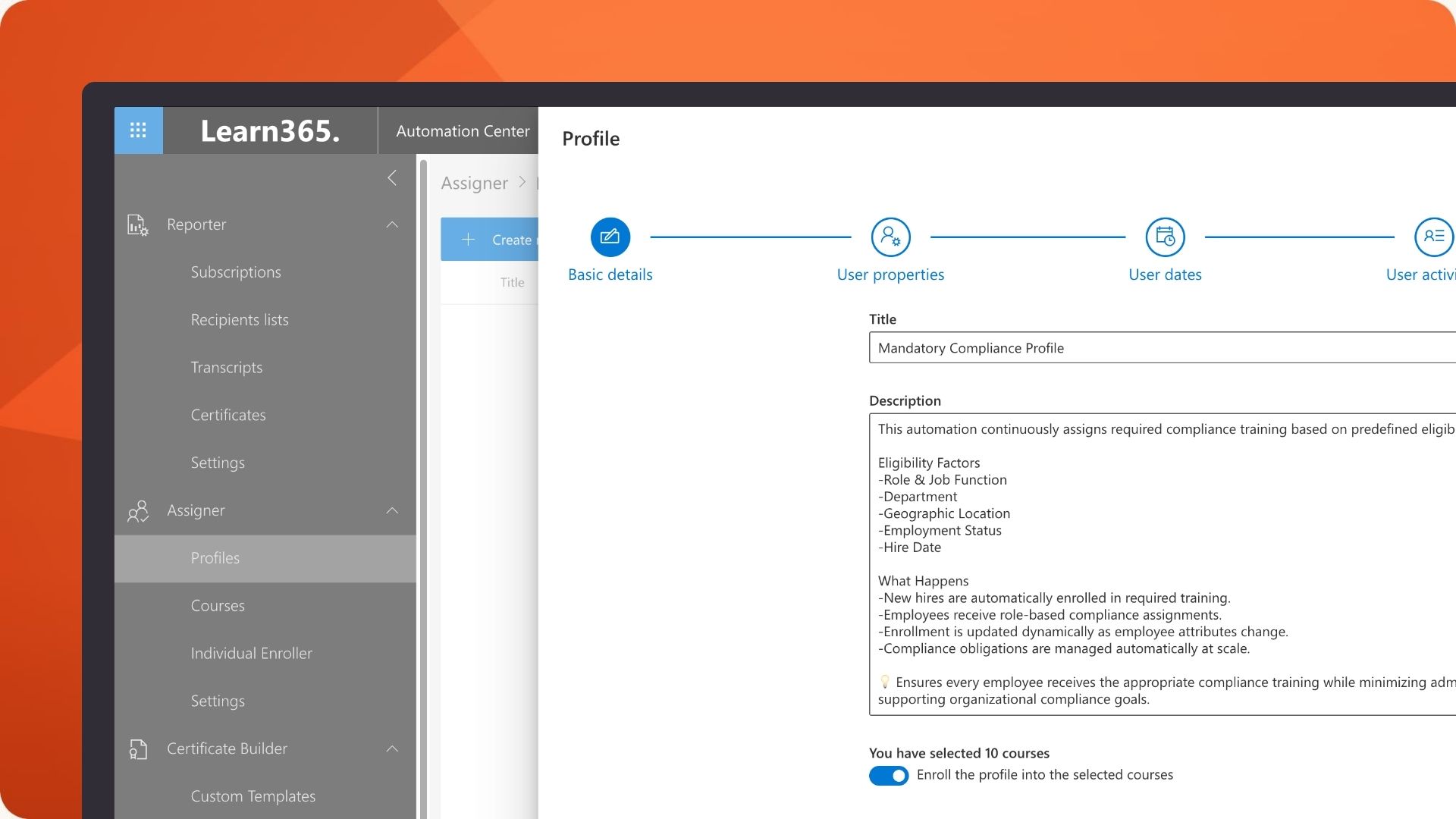
The busywork runs itself.
Provisioning, enrollments, reminders, and certificates run on automations tied to Entra ID, so a joiner or role change assigns the right training on its own. L&D spends its time on learning strategy not admin.
Three product editions to meet the needs of your people
Zensai comes in three editions - Grow, Scale, and Transform - so you start at the stage you're at now and progress as your people strategy matures.
The platform
for Human Success


Zensai leads learning with +90% user adoption
Most LMS software ends up being a compromise. Zensai is different. L&D, employees, managers, and IT each get what they need in one connected system. And because it’s built inside Microsoft 365, people actually use it.

L&D Director
“I’ve bought great content before. Getting people to actually open it is the part that always breaks.”
- Learning lives in Teams, where your people already are, so adoption isn’t a separate battle.
- A full LMS — skills, compliance, reporting — without standing up a separate destination.
The employee
“I’m not leaving Teams to go find a training portal I’ll forget the password to.”
- Your courses and paths are right there in Teams, on your phone or desktop.
- Stuck mid-course? Ask the AI Tutor without leaving the conversation.
IT Leader & Security
“Another LMS means another app, another login, another data store to govern.”
- Runs inside your Microsoft 365 tenant; Microsoft 365 Certified App, ISO 27001 certified; provisioned via Entra ID.
- No new identity system and no new home for learning data — it stays in Microsoft 365.
Loved by users, trusted by leaders


We've built something that agents actually want to use. They're asking for more. More sessions. More content. More pathways.


We wanted to heavily invest in people's growth and a robust and modern LMS was critical in achieving that goal.


Zensai is easy to navigate and manage. It's so straightforward to add courses, training plans and then track the progress. I would strongly recommend a system like this!

Planning learning in Microsoft 365?
Download the guideMore ways to grow your people.
Trusted by 2,000+ IT & HR leaders in Microsoft-first organizations
Zensai transforms learning, engagement, and performance into impact right inside Microsoft 365. No disruption, just smarter ways to grow where your teams already work.
FAQs
What is an LMS for Microsoft Teams?
An LMS for learning in Microsoft Teams is a system that runs inside Teams itself — courses, learning paths, and tracking delivered in the app your people already use all day, rather than on a separate website they log into. Zensai is a full LMS built natively for Microsoft 365, so learning shows up in Teams, SharePoint, and Outlook.
Can you deliver training in Microsoft Teams?
Yes. With Zensai, from notification to completion and visualization of skills and learning progress, the end-to-end learner experience is delivered without learners or managers leaving the Teams app — which is why learning in Microsoft Teams gets done, not forgotten. SharePoint and Outlook are alternative delivery options, and users can also access insights from the Zensai platform from within Copilot (e.g. progress towards mandatory training).
Is this a Microsoft Teams LMS or a separate platform?
It’s a full Microsoft Teams LMS, not a bolt-on or a content feed. Zensai gives you the depth of a dedicated learning platform — paths, compliance, reporting — delivered natively as an M365 LMS, so there’s no separate destination to maintain or ask people to visit.
How is this different from Viva Learning?
Microsoft Viva Learning surfaces and aggregates content. Zensai is a full LMS — authoring, learning paths, compliance, skills, reporting — that runs in the same experience of learning in Microsoft Teams. You get the in-the-flow feel of Viva with the capability of a dedicated platform that’s evolving from course delivery toward coaching in the flow.
Can Zensai help our people get up to speed on the Microsoft 365 apps they use every day?
Yes. Zensai offers a ready-made set of foundational Microsoft 365 courses — the everyday essentials for getting productive across the core apps — authored by Zensai from Microsoft’s own Microsoft 365 help and guidance. They’re delivered inside the Zensai platform, in the flow of work, so getting-started support sits right where people already work rather than on a separate help site.
Can Zensai help our people get more out of Microsoft 365 and Copilot?
Yes. Content365 × Microsoft Copilot Training is a curated set of Microsoft Copilot training content, authored by Zensai, that helps your people build fluency across the Microsoft 365 applications they already use — from first steps through to advanced use. It’s delivered inside the Zensai platform in the flow of work, so Copilot adoption becomes something people keep building on rather than a one-off rollout. It’s available as a paid Content365 add-on, on its own annual license.
Does Zensai integrate with or deliver Microsoft Learning Pathways?
No. Zensai doesn’t deliver Microsoft Learning Pathways. That catalog is published by Microsoft and available through its own tools, so Zensai doesn’t duplicate it. Where Zensai adds value is the content a generic catalog can’t: material specific to your organization, roles, and skills priorities. You can build it natively with AI-assisted authoring — included as standard — and connect licensed libraries like LinkedIn Learning, so your people get the right content through learning in Microsoft Teams, one of the Microsoft 365 tools they already work in, with progress tracked in one place.
Does it work on mobile and for frontline workers?
Yes. The Zensai platform is also available on a mobile app and on a browser — which is what reaches the frontline and deskless workers a separate LMS usually misses. Belle Property’s agents, for example, learn on their phones between client visits.
Which Zensai edition includes Teams-native learning?
Learning in Microsoft Teams is part of the Grow edition — Zensai’s entry edition, with AI- and skills-driven learning paths, the AI Tutor, and native authoring. Scale adds continuous performance; Transform adds engagement. Most teams start at Grow.
How long does it take to implement?
Because Zensai runs inside the Microsoft 365 environment your IT team already manages, there’s no new platform to stand up and no separate security review to clear. Provisioning runs from Entra ID, so most teams are live in weeks, not months.
Will people actually use it?
This is the whole point. Adoption fails when learning sits in a separate system; it works when learning is already where people are. Belle Property went from ~300 to over 1,000 active users after moving learning into Teams — because there’s nothing new to log into.
What do our customers say about Zensai?
Our customers are our best proof, and on G2, that proof comes straight from verified reviews rather than analyst or vendor input. Reviewers point to the same strengths again and again: an experience that feels native to Microsoft 365, a rollout that’s fast and low-friction, and a support team they genuinely trust. Read what our customers say in their own words on our G2 review page.